
Eric Moret, a product manager at Broadcom Software in Silicon Valley, thought he knew better.
But as he explained firsthand in an article published on Medium, even a tech pro such as himself is capable of falling for some of today’s more sophisticated online scams.
Must Read
- Thanks to Jeff Bezos, you can now become a landlord for as little as $100 — and no, you don’t have to deal with tenants or fix freezers. Here’s how
- Dave Ramsey warns nearly 50% of Americans are making 1 big Social Security mistake — here’s what it is and 3 simple steps to fix it ASAP
- Warren Buffett used 8 solid, repeatable money rules to turn $9,800 into a $150B fortune. Start using them today to get rich (and stay rich)
“I almost lost everything — my photos, my email, my entire digital life,” Moret wrote (1).
It all began with a simple text message that quickly turned into a clever phishing attack, one that demonstrates how scammers have evolved beyond the obvious red flags.
This wasn’t a poorly written email with blatant typos. It was a sophisticated, multi-channel attack that exploited Apple’s own support infrastructure to create legitimacy and trust. And with the holiday shopping season in full swing, Moret’s story should serve as a warning to shoppers everywhere.
The anatomy of a modern scam
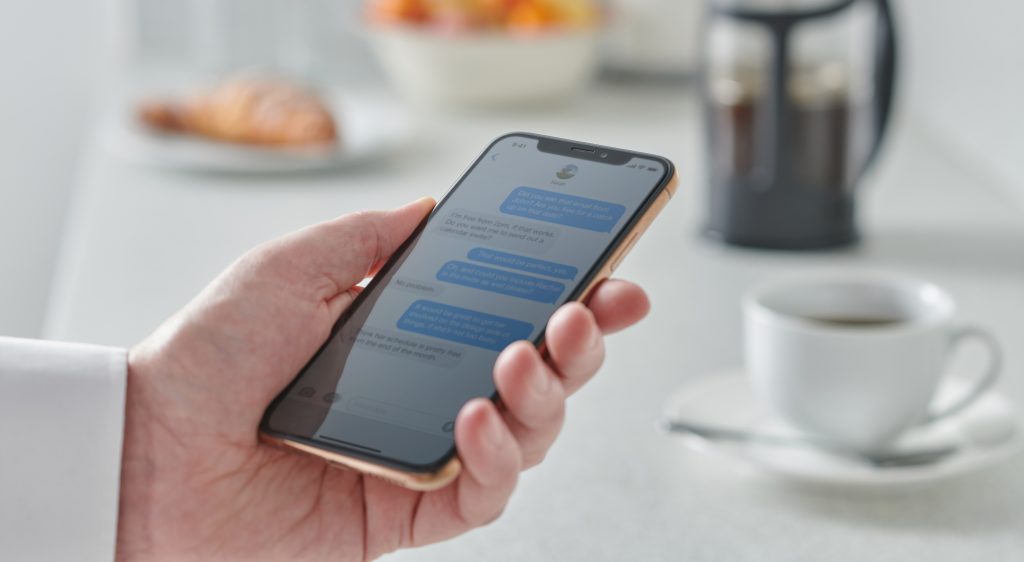
At 3:17 p.m. on a random Wednesday, Moret received a text message. "Your Apple Account Code is: 994977. Don’t share it with anyone," the text read.
But as he noted in his article, Moret wasn’t trying to sign in to his Apple account. Someone else was attempting to gain access to his account, triggering two-factor authentication (2FA) codes.
Within one minute, Apple’s automated system called with another verification code. Three minutes later, Moret received another call from an Atlanta number identifying as Apple Support.
"Your account is under attack. We’re opening a ticket to help you. Someone will contact you shortly,” Moret was told. Roughly 10 minutes later, the same number called back, only this time the representative was "calm, professional," keeping Moret on the line for 25 minutes.
This is when the scammers began to deploy sophisticated and clever tactics. As Moret explained, the scammers created a real Apple Support case in his name — case number 102750168703 — which generated official emails that came from Apple’s system.
"This gave them massive credibility," Moret wrote (1). "Apple’s own systems were sending me official emails confirming their case number."
The scammers then walked him through the process of verifying the legitimate Apple email, then instructed him to reset his iCloud password. “This felt wrong,” Moret wrote, but the voice on the line never directly asked for his 2FA code. They let him complete the reset himself, which Moret said felt "right."
Read more: Robert Kiyosaki says this 1 asset will surge 400% in a year — and he begs investors not to miss its ‘explosion’
Then came the trap
From there, the fake representative said Moret would receive a text with a link to close the case. The link — appeal-apple.com — looked legitimate, and it opened an Apple page with HTTPS encryption and a valid certificate. The page also had a field for Moret’s case number.
“They asked me to enter it and, to reinforce my trust, read me the last 4 digits of the case which matched the ticket email confirmation,” Moret wrote. The webpage also displayed a list of steps with checkmarks next to those that were completed, like "Ticket Opened," "Account Frozen" and "Password Changed."
“This was brilliant psychological manipulation,” Moret wrote. “Each completed checkmark built trust. The ‘in progress’ indicator created urgency. I was watching my account being ‘secured’ in real time — or so I thought.”
Moret was then told over the phone that he would receive a confirmation code to close the ticket. Immediately after hearing those words, the webpage Moret was looking at was replaced with a familiar six-digit placeholder. Moret then received an Apple validation code via SMS and entered it.
"This was the moment they won," he wrote. Seconds later, Moret received an email that made his "blood run cold."
“Your Apple Account was used to sign in to iCloud on a Mac mini (2024),” the email read. This is when Moret, who doesn’t own a Mac mini, realized he’d just been scammed. Since he was still on the line with the supposed Apple representative, Moret told the rep about the email he had just received and was told it was “expected as part of the security process.”
Scared and sceptical, Moret then immediately changed his iCloud password for a second time, this time without the scammers’s assistance. And moments later, the phone call with the scammer had dropped.
“I was left trembling in front of my devices, only then realizing that I had just escaped a massive catastrophe,” Moret wrote. “Within minutes, the Mac mini vanished from my device list. The phishing site redirected to Google. The Apple support ticket was closed.”
A warning for the holiday season
Moret is sharing his story at a critical time. According to Pew Research Center, nearly three-quarters (73%) of Americans have been targeted by online scammers (2). With holiday shopping in full swing, experts warn that AI-enhanced scams have reached unprecedented levels of sophistication.
According to the 2025 Global Anti-Scam Alliance State of Scams report, 57% of adults globally experienced a scam in the past year, with 23% reporting money stolen (3). Google also says that during major shopping periods, scammers "increase fraudulent activity … by exploiting heightened consumer demand and urgency."
The traditional warning signs of a scam — grammatical errors, anxious callers or email addresses that are obviously fake— seem to be old hat for today’s sophisticated scammers. AI tools can now generate flawless phishing emails, create realistic voice impersonations and craft convincing fake websites at scale.
Moret’s story confirms this nefarious progression. "Modern phishing uses corporate infrastructure against you. They don’t need spelling errors when they have real Apple case numbers," he wrote.
Perhaps most troubling is the fact that younger generations are now the most at risk. According to Consumer Affairs, Millennials and Gen Z are the age groups most likely to be targeted as fraudsters ramp up their use of social media and messaging platforms (4).
"Add in rapidly advancing AI tools that can mimic real voices and personal chat styles, and scams are becoming more convincing — and much harder to spot," Consumer Affairs states in its article.
How to protect yourself
Moret’s experience provides crucial lessons on how to protect your digital life. Here’s what experts — including Moret himself — recommend:
Go directly to the source
Never click links in unsolicited texts or emails, even if they appear legitimate. If contacted over the phone about an account issue, hang up and call the company using a number from its official website. This single practice alone can prevent most successful phishing attempts.
Verify domain names carefully
As Moret learned the hard way, appeal-apple.com is not an official Apple sub-domain.
Scammers often use domains that closely resemble legitimate ones. Before clicking on any links sent via email or text message, check that the link is an actual domain for whatever company or organization the email or text claims to be coming from.
Never trust third-party-initiated support tickets
As Moret discovered, attackers can create real Apple support cases in anyone’s name, generating confirmation emails that appear to be legitimate. Always open support tickets on your own and never trust one that was created for you.
Treat all verification codes as sacred
No legitimate company representative will ask you to read verification codes aloud or enter them on a website it’s sent you to. Those codes are for you alone to enter on sites you’ve navigated to independently.
As Moret wrote in his article, “protect those 2FA codes like your digital life depends on it … because it does.”
Watch for device sign-in notifications
These messages show when new devices have accessed your accounts. If you see an unfamiliar device, immediately change your password and review your account activity.
Use hardware security keys
For maximum protection, use security keys like YubiKey or Google Titan for two-factor authentication. Unlike SMS codes, hardware keys are immune to phishing because they verify the website’s authenticity before working.
Slow down and stay calm
Scammers often rely on creating urgency and panic to prey on their victims. A barrage of verification codes, automated calls and support representatives telling you "your account is under attack" creates pressure to act quickly.
That’s why it’s important to pause and verify independently. Legitimate security issues can wait while you confirm through official channels.
What to read next
- Approaching retirement with no savings? Don’t panic, you’re not alone. Here are 6 easy ways you can catch up (and fast)
- Dave Ramsey says this 7-step plan ‘works every single time’ to kill debt, get rich — and ‘anyone’ can do it
- Grant Gardone reveals the ‘real problem’ with US real estate (and what average Americans must actually do to get rich)
- 22 US states are already in a recession — protect your savings with these 10 essential money moves ASAP
Join 200,000+ readers and get Moneywise’s best stories and exclusive interviews first — clear insights curated and delivered weekly. Subscribe now.
Article sources
We rely only on vetted sources and credible third-party reporting. For details, see our editorial ethics and guidelines.
Medium (1); Pew Research Center (2); Google (3); Consumer Affairs (4)
This article provides information only and should not be construed as advice. It is provided without warranty of any kind.